Smart outdoor lighting systems offer convenience and security for homeowners. However, many users face a frustrating issue: frequent disconnections from Wi-Fi. According to a recent industry report by eMarketer, nearly 40% of smart home device users experience connectivity problems, which can be attributed to factors like range, interference, and hardware limitations.
John Barker, a smart technology expert at Tech Insights, states, "Understanding why is my smart outdoor lighting system disconnecting from Wi-Fi is crucial for a seamless smart home experience." His insights highlight the complex interplay between outdoor environmental factors and device performance. Physical obstructions, like walls and trees, can weaken Wi-Fi signals, while overcrowded networks may lead to conflicts.
Moreover, the rise of various smart home devices amplifies demand on Wi-Fi networks. Many users find it challenging to isolate the cause of disconnection, often leading to a cycle of troubleshooting without real solutions. A deeper understanding of these issues is essential for optimizing smart outdoor lighting systems and ensuring consistently reliable performance.
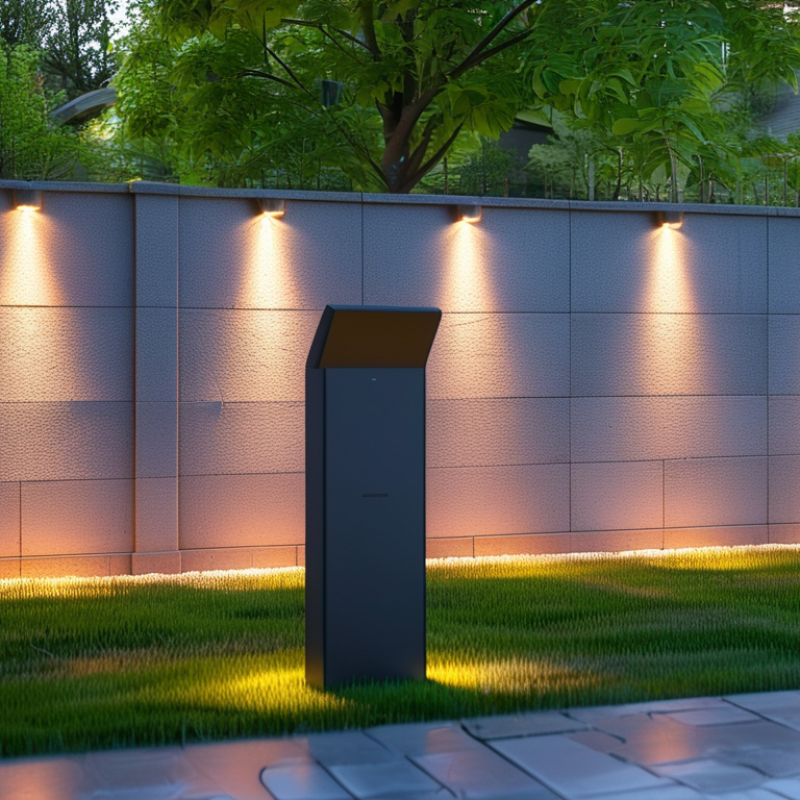
Common Causes of Wi-Fi Disconnection in Smart Outdoor Lighting
Smart outdoor lighting can enhance the charm of your home, but frequent Wi-Fi disconnections can be frustrating. Various factors can cause these interruptions. One potential issue is the distance between the lights and your Wi-Fi router. If your devices are too far apart, the signal may weaken. Obstructions like walls and trees can significantly impact connectivity.
Interference from other electronic devices is another common culprit. Things like microwaves or cordless phones might disrupt the Wi-Fi signal. Additionally, network congestion can occur if many devices connect to the same network. This can slow down your Wi-Fi speed, impacting the performance of your smart outdoor lighting.
Firmware issues may also lead to disconnections. Regular updates are crucial for optimal device performance. If your lighting system is out of date, it may struggle to maintain a stable connection. Lastly, power fluctuations can disrupt Wi-Fi signals. If your smart lights are not consistently powered, they may disconnect frequently. Reassessing your Wi-Fi setup can often reveal solutions to these annoying disconnects.
Impact of Distance from Wi-Fi Router on Device Connectivity
The distance from your Wi-Fi router significantly impacts your smart outdoor lighting's connectivity. As the distance increases, signals weaken. Walls, trees, and other obstacles further reduce signal strength. If your outdoor lights are far away from the router, they may frequently disconnect. This issue is common in homes with large yards or dense landscaping.
Consider your layout. If your lighting is at the edge of your yard, it struggles with connectivity. Some devices may lose signals completely while others remain connected. This inconsistency can be frustrating. You might find yourself resetting lights often.
Check the placement of your router. Ideally, it should be in a central location. Elevating the router can also help. Sometimes, adding a Wi-Fi extender can bridge the gap between your router and distant devices. While these solutions may not be perfect, they are steps to improve your experience. Reflect on how your environment affects connectivity.
Interference Factors Affecting Wi-Fi Signals for Outdoor Devices
Smart outdoor lighting can enhance the ambiance of your yard. However, frequent Wi-Fi disconnections can be frustrating. One common issue is interference from various external factors. According to a report by the Federal Communications Commission, Wi-Fi signals can be disrupted by physical barriers. Dense walls, trees, and even furniture can block signals.
Wireless devices typically operate on the 2.4 GHz and 5 GHz bands. The 2.4 GHz band faces more interference because many household devices, like microwaves, also use this frequency. A study from the Institute of Electrical and Electronics Engineers found that outdoor installations often struggle due to the distance from the router. If your lighting is far away, consider a Wi-Fi extender to improve connectivity.
When troubleshooting, analyze your surroundings. Are there large objects nearby? Is your router placed in a central location? These factors matter. Ensure your outdoor lighting has a clear line of sight to the router. Regularly update your router firmware. An updated device can significantly improve performance. Consider investing in dual-band routers for better signal management.
Firmware and Software Updates: Their Role in Connectivity Stability
Firmware and software updates are crucial for maintaining the stability of smart outdoor lighting systems. These updates often include bug fixes and performance improvements that enhance connectivity. When manufacturers release these updates, they address known issues that may cause devices to disconnect from Wi-Fi networks. Ignoring these updates can lead to repeated disconnections, frustrating users who rely on consistent outdoor lighting.
Many users overlook the importance of keeping firmware current. While it may seem inconvenient, regularly checking for updates can prevent connectivity problems. The process is often straightforward, but some devices may require a manual touch. The disparity in user experiences highlights the need for attention to detail. Users must stay informed about their device's software status.
Occasionally, updates may introduce new bugs or compatibility concerns. This can lead to unexpected disconnections. Users might find themselves re-establishing connections after an update. It’s a reminder that technology, while convenient, is not always perfect. Embracing this imperfection can help in adjusting one’s expectations for seamless outdoor illumination.
Why Does My Smart Outdoor Lighting Keep Disconnecting from Wi-Fi? - Firmware and Software Updates: Their Role in Connectivity Stability
| Issue |
Description |
Solution |
Update Frequency |
| Firmware Outdated |
Old firmware can lead to connection drops |
Check for updates via the app and install the latest version |
Every 3-6 months |
| Weak Wi-Fi Signal |
Distance from the router can affect connectivity |
Relocate the router or use a Wi-Fi extender |
N/A |
| Network Interference |
Devices on the same frequency can disrupt connection |
Change the router's channel settings |
N/A |
| Router Overload |
Too many devices connected can cause instability |
Limit connected devices or upgrade your router |
N/A |
| Software Bugs |
Integration issues can disrupt operation |
Report issues to manufacturer and wait for patches |
As needed |
Tips for Improving Wi-Fi Connection for Outdoor Smart Lights
Outdoor smart lighting can enhance your home’s landscape, but connectivity issues can be frustrating. One common problem is Wi-Fi dropouts. These lights often rely on a stable Wi-Fi signal for proper operation, and environmental factors can disrupt this. Trees, walls, or even weather conditions can weaken the signal strength. According to a study by the Consumer Technology Association, about 30% of homeowners experience issues with their connected devices due to weak signals.
To improve the Wi-Fi connection for your outdoor smart lights, consider repositioning your router. Placing the router closer to the outdoor area can reduce interference. You might also want to upgrade your router to a model designed for larger homes. Mesh Wi-Fi systems can help extend coverage. They create a stronger signal across wider areas. A report by the International Data Corporation indicates that mesh systems can increase connectivity reliability by as much as 50%.
Another practical tip is to use Wi-Fi extenders designed for outdoor use. These devices strengthen the Wi-Fi signal specifically for outdoor environments. Proper placement is essential. Position extenders where barriers are minimal to maximize range. Additionally, check for any firmware updates for both your router and smart lighting fixtures. Regular updates can solve many issues related to connectivity and performance, ensuring your outdoor lighting functions smoothly.
Conclusion
If you're wondering "why is my smart outdoor lighting system disconnecting from Wi-Fi," there are several common causes that might be affecting its connectivity. One major factor is the distance from your Wi-Fi router; if the outdoor lights are too far away, the signal may weaken, causing frequent disconnections. Additionally, various interference factors such as physical obstructions, other electronic devices, or even weather conditions can disrupt Wi-Fi signals for outdoor devices.
To enhance the stability of your smart outdoor lighting, it's essential to keep firmware and software updated, as these updates can significantly improve connectivity. Moreover, implementing strategies to boost the Wi-Fi connection, such as using range extenders or repositioning the router, can greatly help in minimizing disconnection issues. By addressing these factors, you can enjoy uninterrupted smart lighting outdoors.

